N1co - WooCommerce
Description
Integrate the N1CO payment system into your e-commerce platform developed in WordPress using WooCommerce. This solution allows you to accept payments with Visa and Mastercard cards efficiently and securely.
With this plugin, your customers will be able to make payments with debit or credit cards quickly and easily, providing a seamless shopping experience for both them and your business.
N1co is available for stores in the following countries: El Salvador, Guatemala, and Honduras
If you have a WordPress store and want to integrate the n1co payment gateway to process your transactions, this manual will show you how to do it.
Installation
Prerequisites
To install the N1co plugin in WooCommerce, you need:
- WordPress version 5.2.0 or higher.
- WooCommerce version 4.0 or higher installed and activated.
- PHP Version 7.0.0 or higher.
- Have an n1co account and have the configuration data ready.
Steps to install:
- Download the N1co Payment Gateway plugin from our website or the WordPress plugin repository.
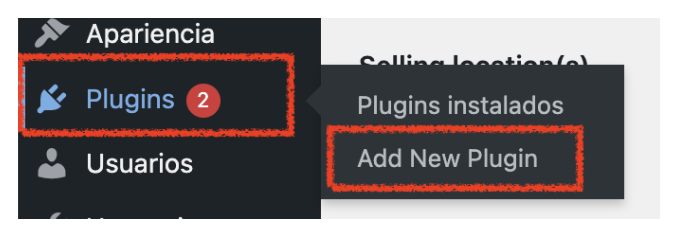
- In your WooCommerce store's administration panel, navigate to
"Plugins" > "Add New".
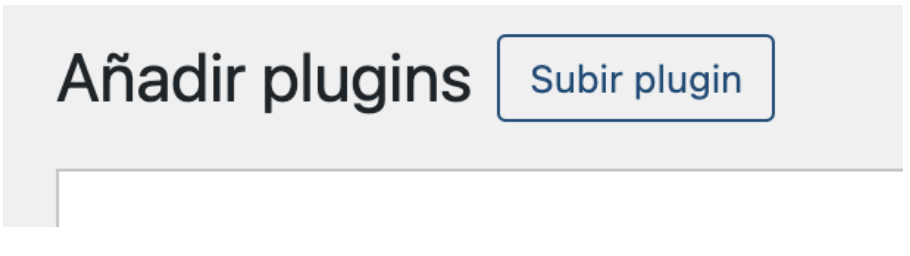
- Click the "Upload Plugin" button and select the downloaded ZIP file.
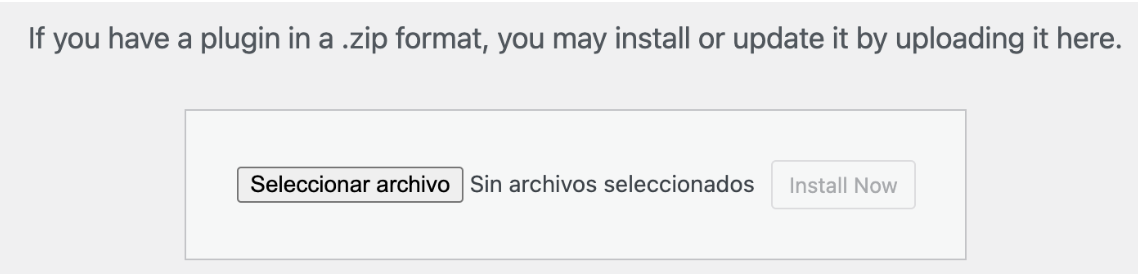
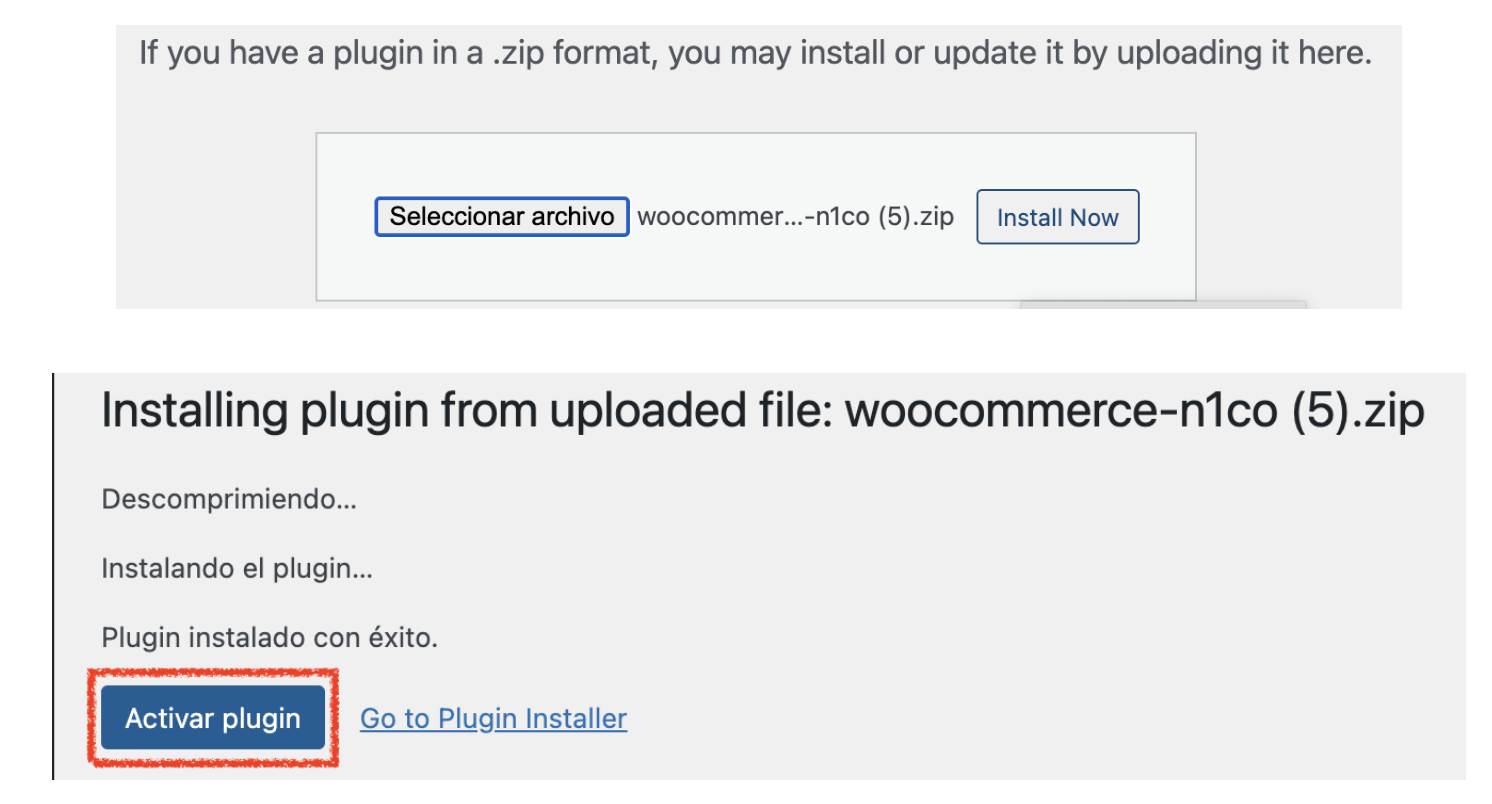
- Click "Install Now" and then "Activate" to activate the
N1CO Payment Gateway plugin.
Configuration
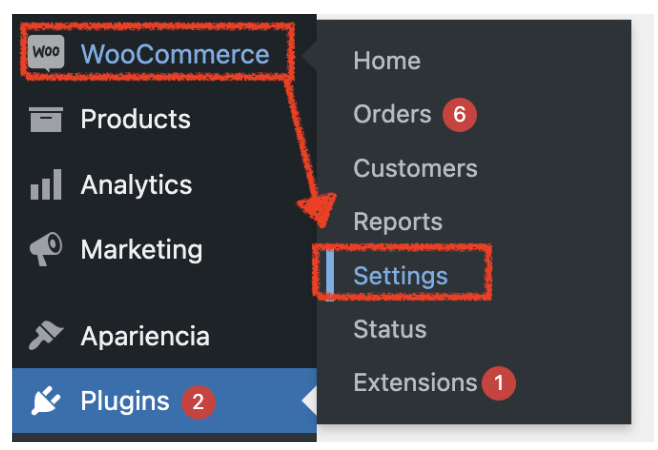
- In your WooCommerce store's administration panel, go to
"WooCommerce" > "Settings" > "Payments".
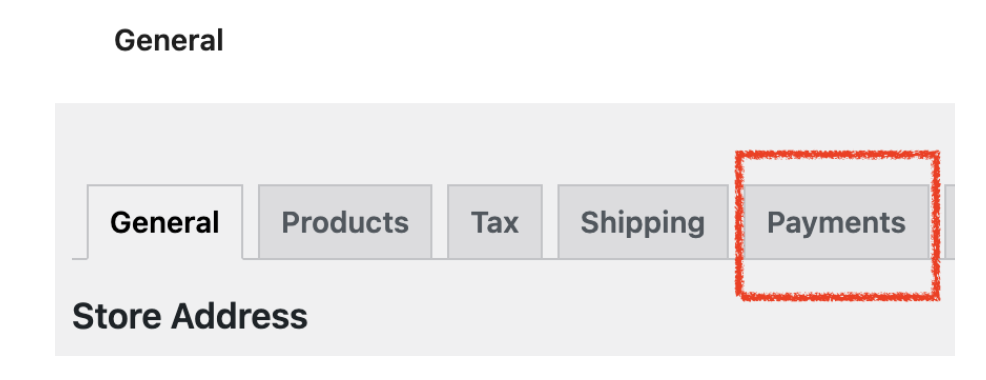
- In the "Payment Gateway" tab, you will find the list of available payment methods.
Activate "n1co" to enable the N1co Payment Gateway.
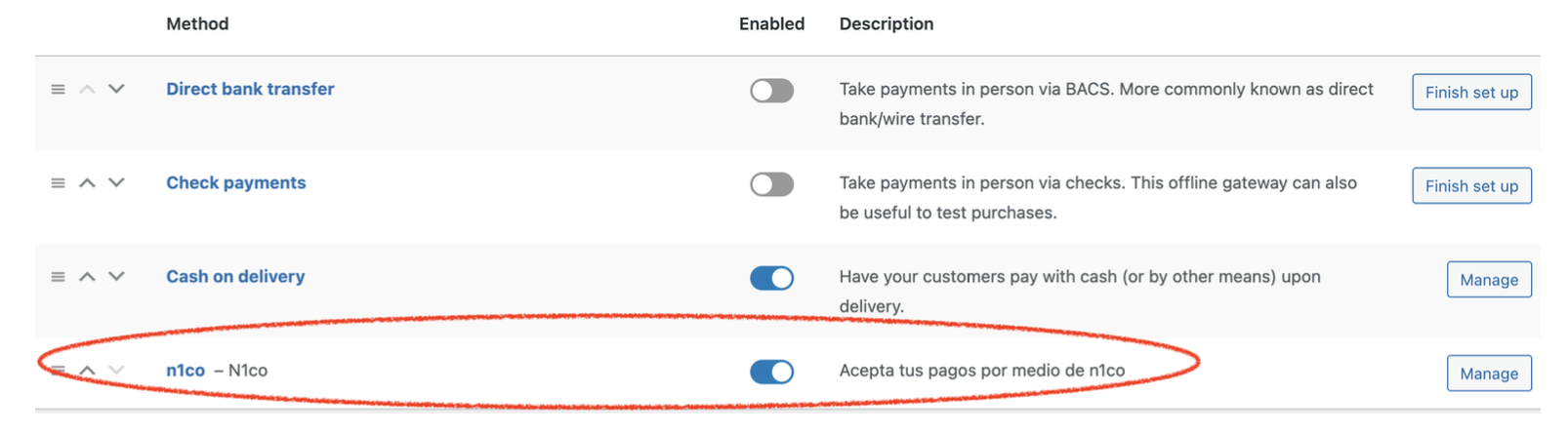
- Click the "Manage" link next to "n1co" to access the
specific configuration.

Complete the following fields with the data generated from the n1c0 portal:
- "Title": Title that customers will see during the checkout process, you can leave the default text or leave it blank.
- "Description": Description that customers will see during the checkout process.
- "Debug Log": Checkbox to enable or disable the transaction log of the n1co payment gateway, it is recommended to activate it only if n1co requests it.
- "N1co logging mode": define how you want your customers to make the payment through n1co, either by redirecting to a new browser tab or through an iframe within your store.
- Production API URL: This is the base API of the N1CO collection service in the production environment. You must use the following value: pay.n1co.shop/api/paymentlink/checkout, unless N1CO provides you with a different URL.
- Sandbox API URL: This is the base API of the N1co collection service in the "Sandbox" environment, this will help you to carry out tests in a controlled environment before activating the plugin for your customers' use, the value to use is the following: https://api-pay-sandbox.n1co.shop/api/paymentlink/checkout
⚠Important: To carry out tests in a sandbox environment without affecting your production store, you must check the checkbox found in the "Test Mode" option.

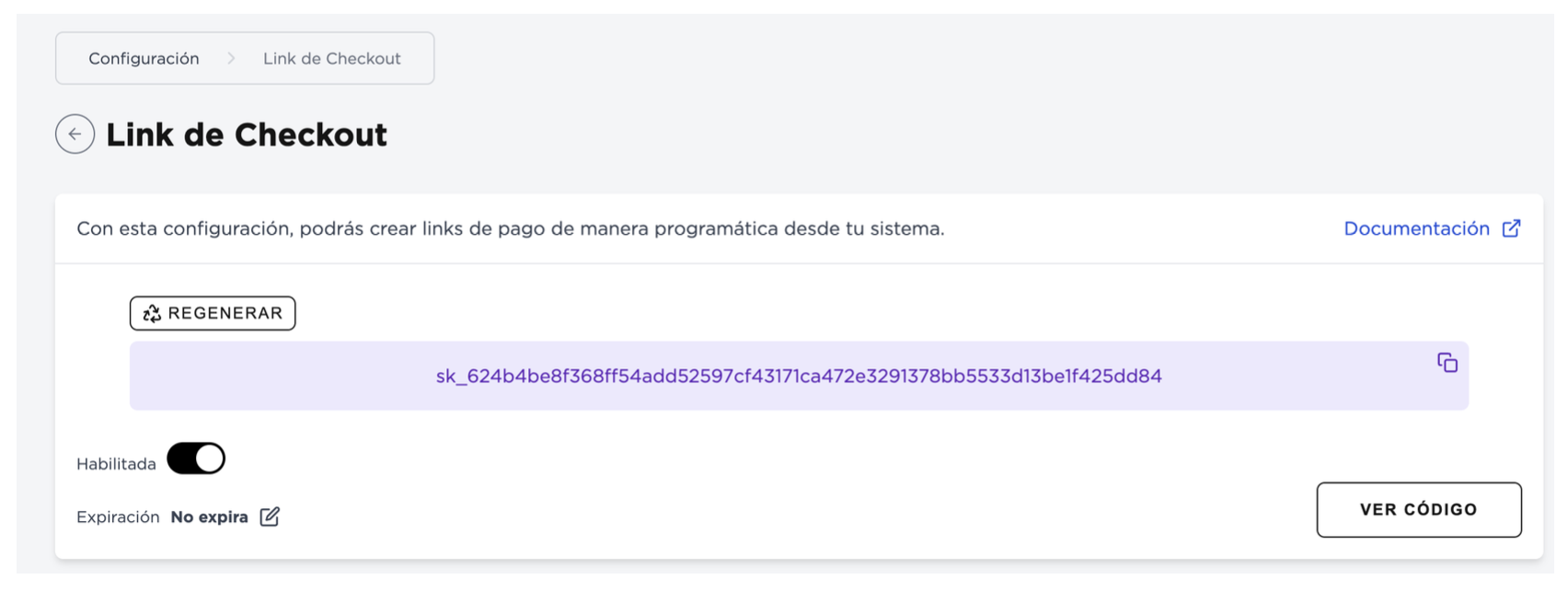
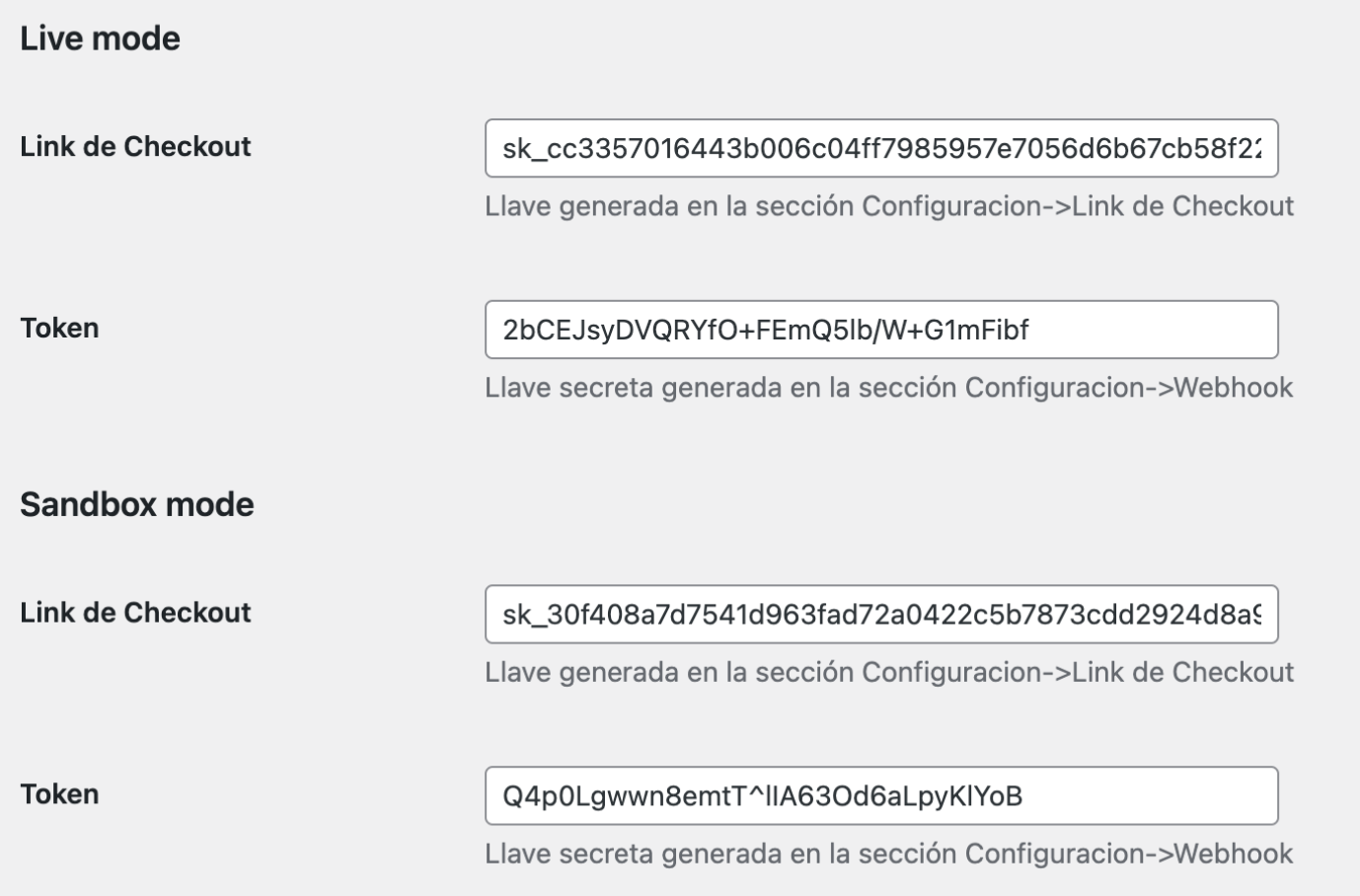
- Checkout Link: Key generated in the Configuration→Checkout Link section of the portal provided by the N1co team.
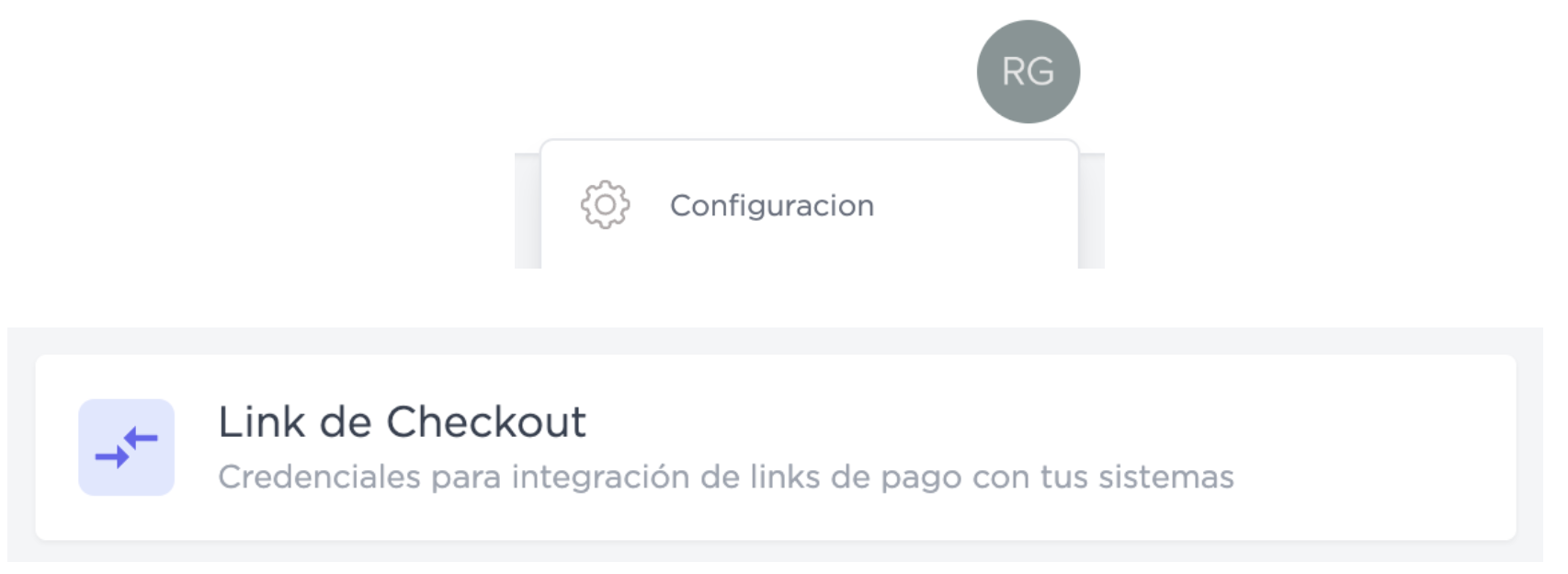
- Token: Secret key generated in the Configuration→Webhook section of the portal provided by the N1co team.
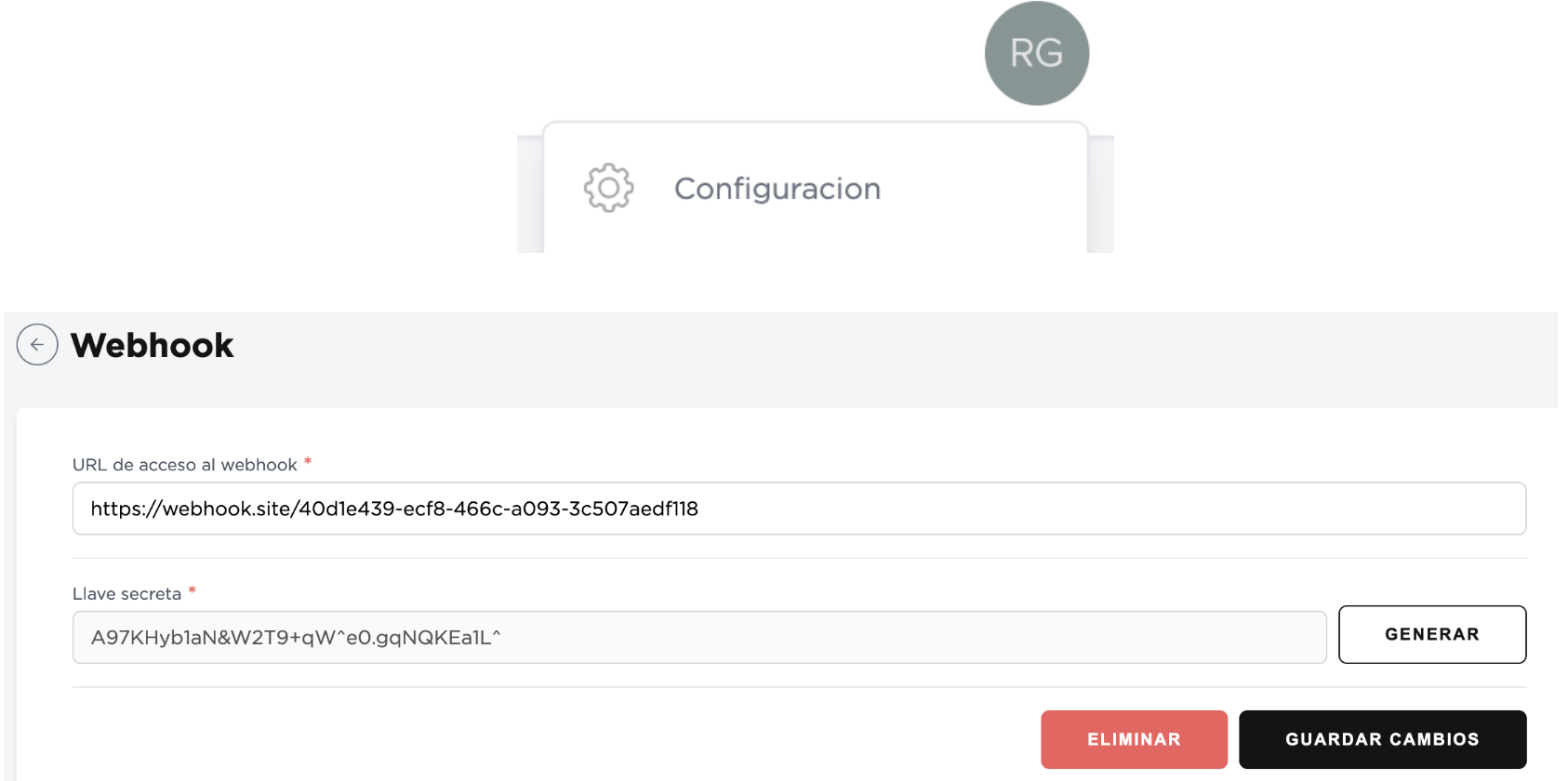
Register the plugin's webhook URL in the n1co portal, under Configuration → Webhook, in the “Webhook access URL” field. The URL is the one shown at the top of the plugin's payments tab and always has this form:
https://<your-store>/wc-api/n1co_webhook
Configure it separately for Sandbox and production, and use the webhook secret key from the same environment as the “Token”. If the URL or the Token do not match, the plugin discards the notification and the order stays in “Pending payment”. If you don't have access to the portal, n1co staff can register it for you.

⚠Important: In the configuration there are two sections "Live mode" and "Sandbox mode", it is important that you place the data correctly according to the environment you are configuring to avoid failures in payment processing.
- Save the changes.
- Make any additional configurations according to the instructions provided by n1co.
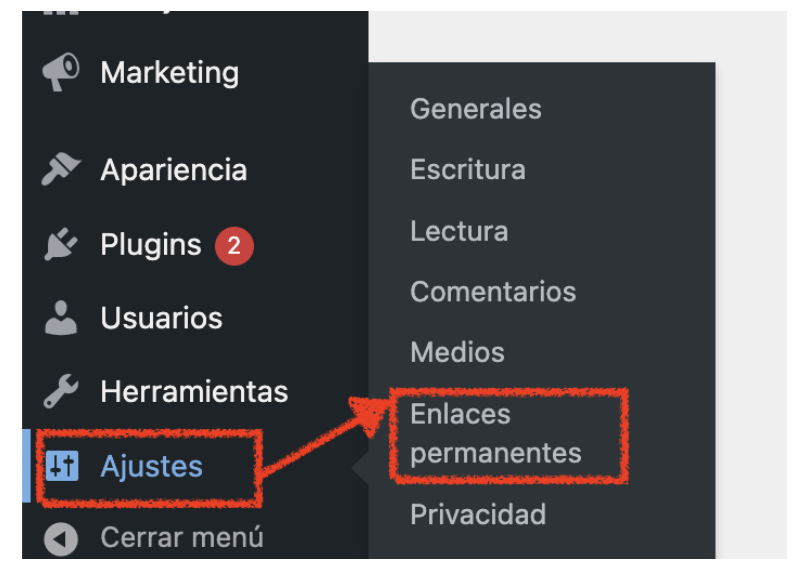
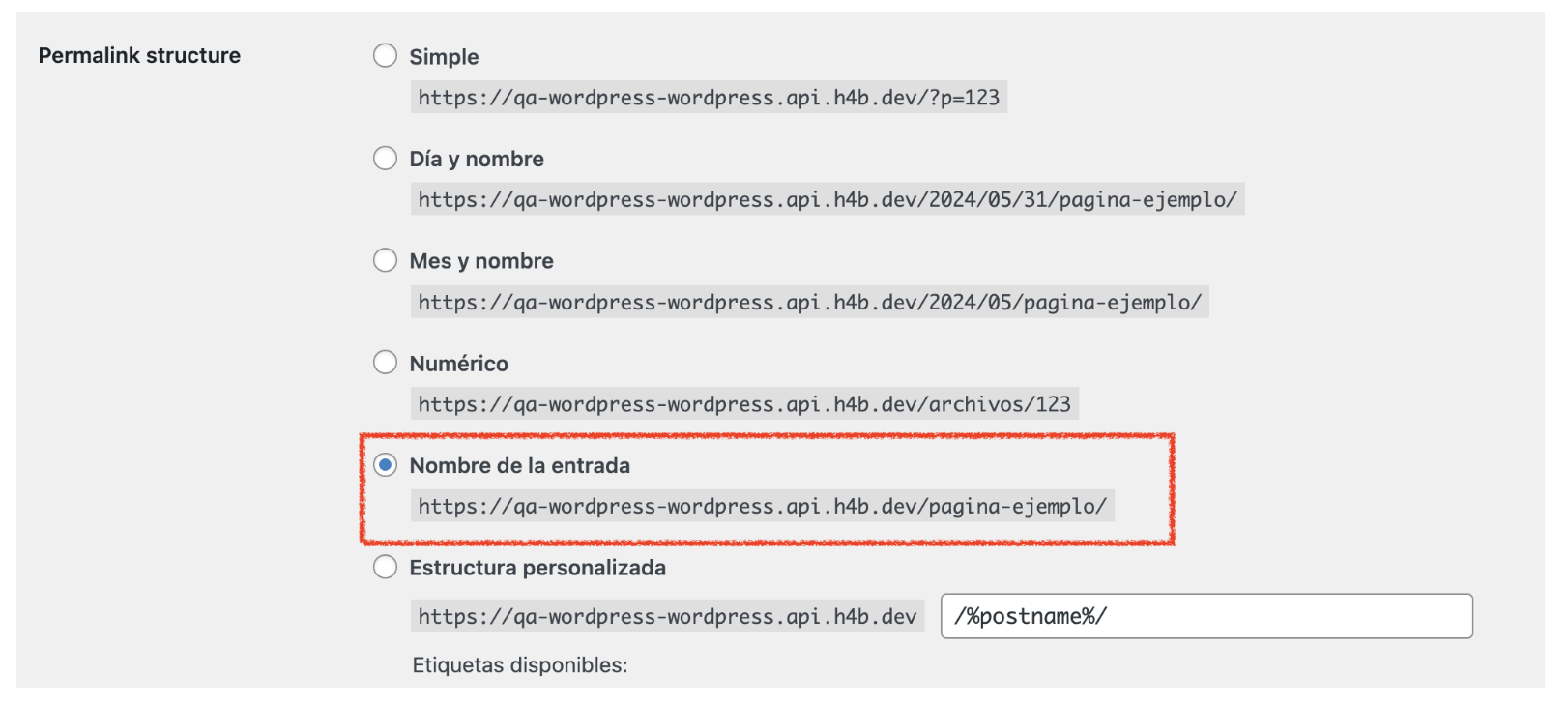
- For the correct functioning of the webhook, it is necessary to configure Settings->Permalinks as "Post name".
Usage
Once the N1co Payment Gateway is configured, customers will be able to select the "n1co" payment method during the checkout process. By selecting it, they will be redirected to the secure n1co payment form to complete the transaction. All transactions will show notes within the order, and you will be able to track your transactions and their status from your n1co portal: https://portal.n1co.shop
Support and Additional Documentation
If you have any questions or encounter problems during the configuration or use of the N1co Payment Gateway, we recommend consulting the following resources:
N1co documentation and guides: https://docs.n1co.com/
Remember that the security of online transactions is fundamental. Make sure to follow best security practices and comply with the corresponding regulations to protect your customers' information.
Thank you for choosing the N1co Payment Gateway for your WooCommerce store! We are here to help you, if you need additional support https://wa.me/50324086126